Skip to content

AI for Rhino + Grasshopper

Design faster.Think bigger.

Connect your AI assistant to Rhino and Grasshopper. Create, refine, and automate—right inside your model.

Used by people at

  • Olson Kundig
  • Harvard GSD
  • Perkins&Will
  • Formlabs
  • Columbia University
  • SmithGroup
  • ICON
  • IAAC
  • Dyson
  • Cornell University
  • 3D Systems
  • Pratt Institute
  • Landor
  • RISD
  • Gübelin

See the workflow

Your ideas. Moving forward.

Make a request, review the result in Rhino, and refine it with your next instruction.

Illustrative workflow

  1. Model a 24-storey tower that twists 90° from base to top.
  2. Added 24 floor slabs, each rotated 3.9°, as editable geometry.
  3. Taper the top third.
  4. Scaled the top 8 floors down to 70% at the crown.

Perspective

twist 90°top third · 70%
  1. 01Request
  2. 02Action in Rhino
  3. 03Editable geometry
  4. 04Follow-up
Illustrative workflow — schematic, not a product recording.

Why RhinoAiMCP

  1. Works in the model you have open.

    Your assistant acts directly in the open Rhino file. Every result is geometry you can select, inspect and edit.

  2. Speaks Grasshopper and Python.

    It builds Grasshopper definitions with native components or GhPython, and supports Python scripting in Rhino, so parametric work stays parametric.

Less busywork

Keep the design.Lose the repetition.

01 · Model & modify

Illustrative

spacingheight

Move from an idea to the next iteration.

Describe a modeling task, inspect the geometry, and refine the result without starting over.

Example request“Adjust the spacing and height of these facade elements.”

02 · Grasshopper workflows

Illustrative

GrasshopperSurfaceCount18AttractorDepth0.6DivideSNFinsPADRhino · planattractor18 fins, deeper near the attractor

Keep your parametric workflow moving.

Your assistant builds Grasshopper definitions with native components or GhPython, wired and ready for you to adjust.

Example request“Build a definition that places fins on this facade, deeper near an attractor point.”

03 · Plan annotation

Illustrative

planLiving35.0 m²Bedroom 122.5 m²Bedroom 222.5 m²Kitchen16.0 m²Bath12.0 m²7.005.0012.004.504.50names · areas · dimensions108.0 m² total

Hand off the tedious drawing work.

Room names, areas and dimension chains are slow to add by hand. Describe what you need and review the annotations in Rhino.

Example request“Label every room with its name and area, and dimension the plan.”

04 · Inspect the model

Illustrative

Facade layerObjects16SidesSouth, EastTypePanelsplan

Ask questions about what is already there.

Query layers, objects and dimensions in plain language before you decide what to change.

Example request“Which objects are on the Facade layer, and where are they?”

05 · Reusable skills

Illustrative

SKILLtower massingLAYERSTowerStructureColumnsSlabsEnvelopeFacade finsGlazingRoofone layer per element

Turn a good sequence into a repeatable step.

Save a sequence of modeling steps as a skill, including how the model is organised into layers, and reuse it on the next project. Skills are editable Markdown files: your assistant can create and update them, with automatic backups.

Example request“Save these steps as a skill called “tower massing”.”

Why RhinoAiMCP

  1. Bring the assistant you prefer.

    Connect Claude, GitHub Copilot, Ollama or another MCP-compatible assistant, and keep working in the chat you already use.

  2. Ready from day one.

    14 MCP tools and 12 built-in design skills for 3D modeling and 2D drawing. Create your own skills and update them, with automatic backups.

Made in real sessions

From a sentence to a model.

Screenshots from real Rhino sessions with an AI assistant connected through RhinoAiMCP.

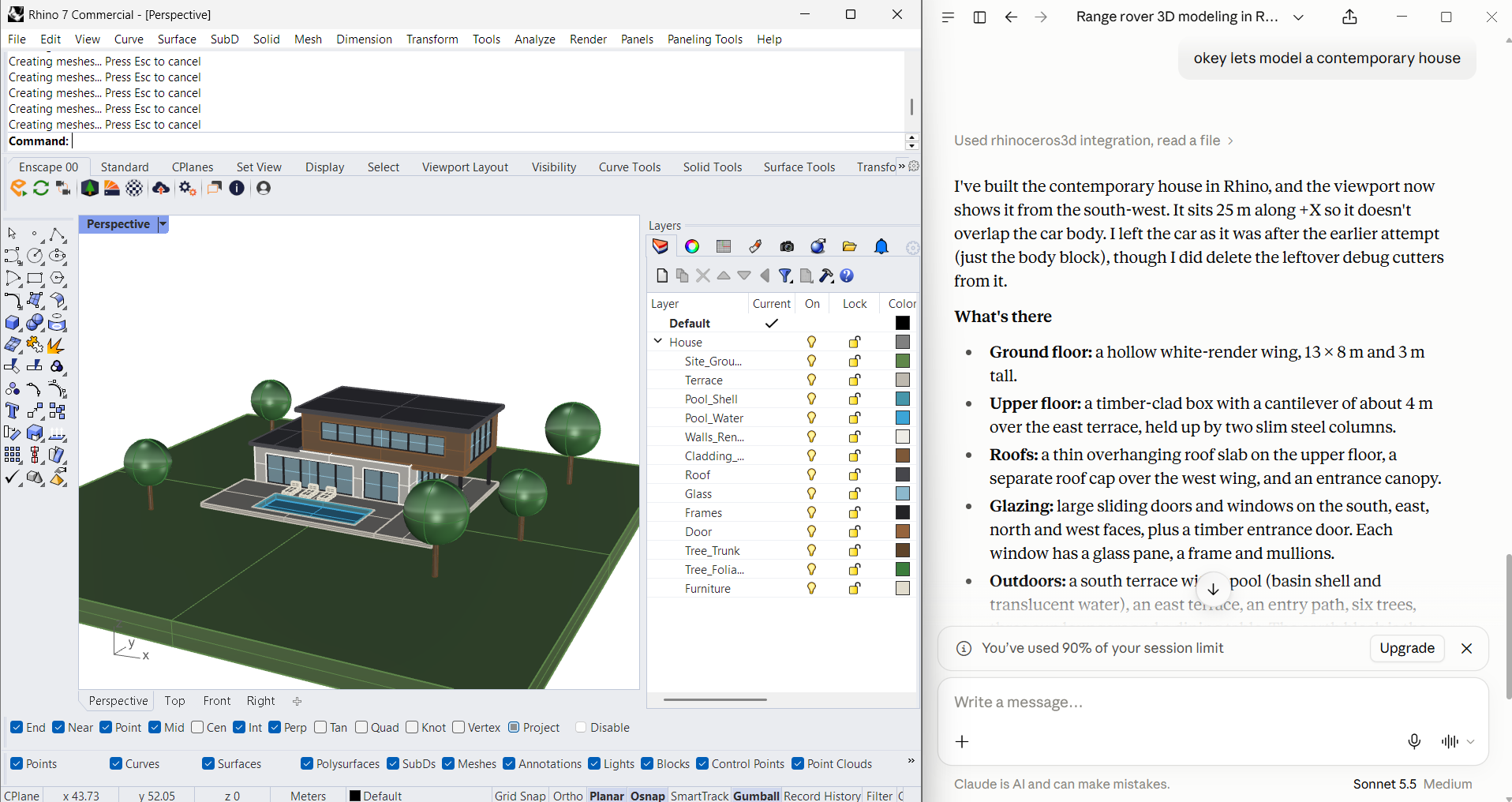
  • Rhino 7 viewport with a contemporary house on a site with trees and a pool, next to a Claude chat describing the model.
    Contemporary houseRhino 7 · Claude
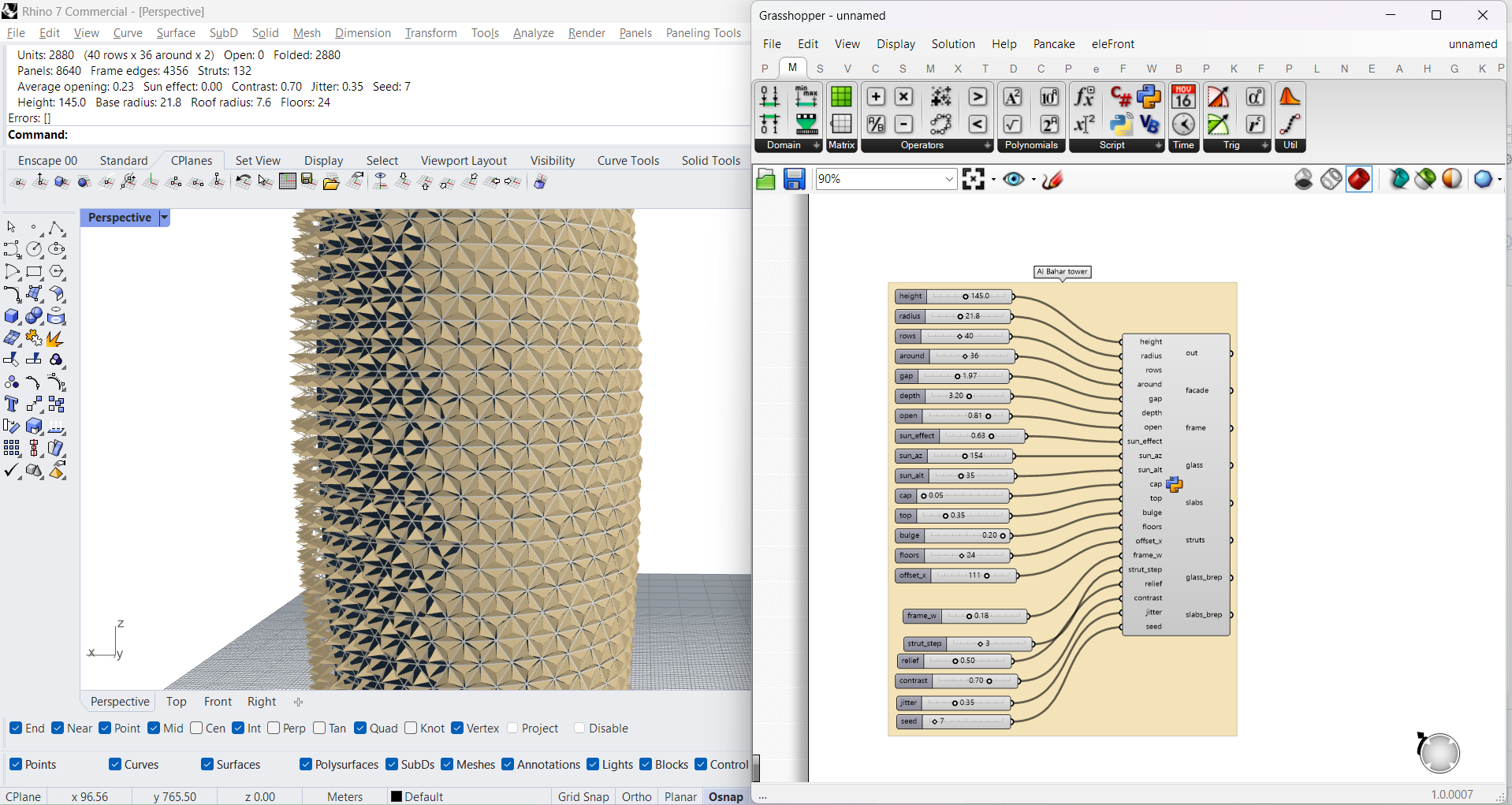
  • Perforated facade tower in Rhino with the Grasshopper definition and its sliders beside it.
    Parametric facade towerRhino 7 + Grasshopper
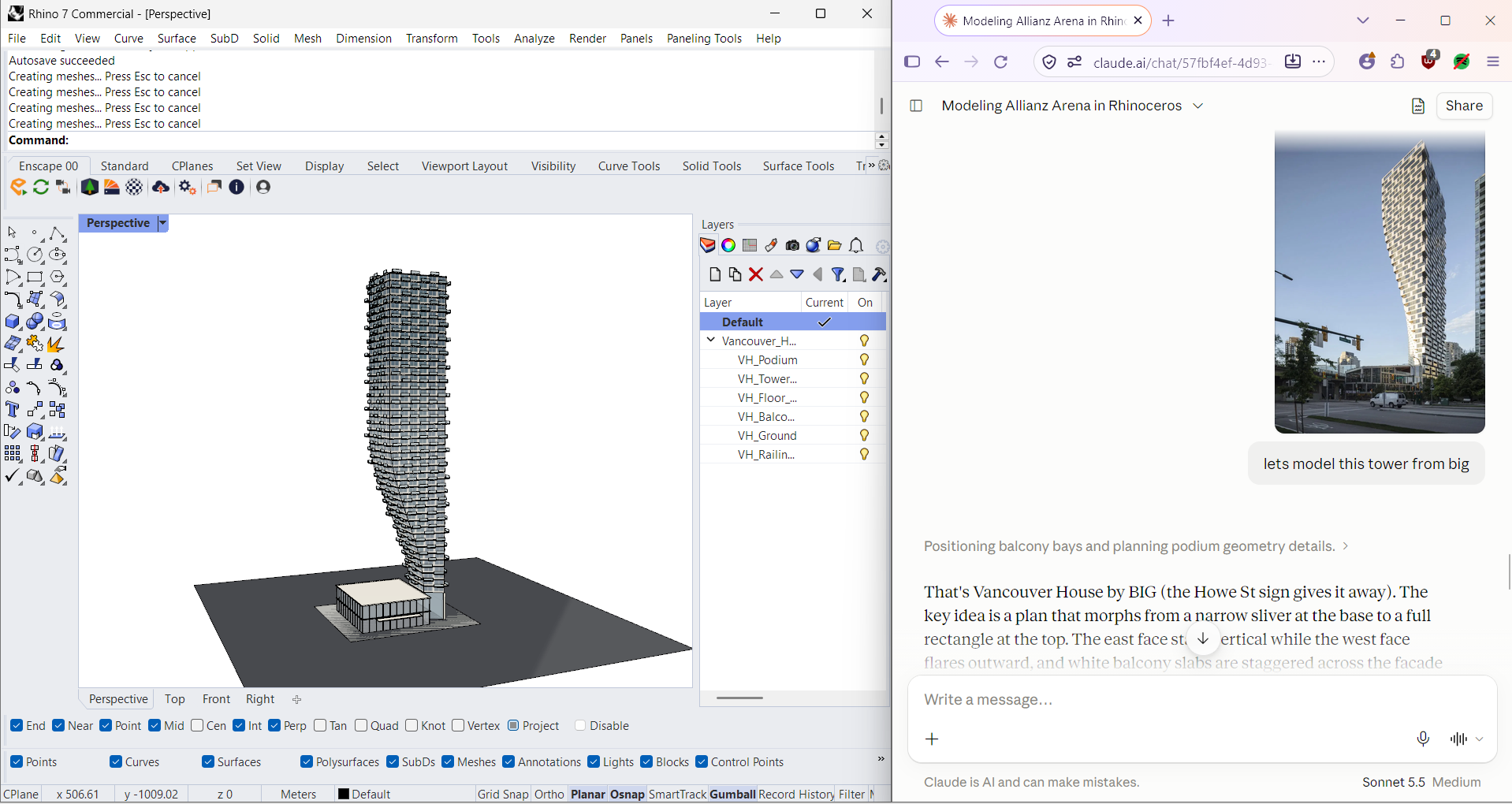
  • Twisting residential tower modeled in Rhino next to the reference photograph shared in the chat.
    Tower from a reference photoRhino 7 · Claude
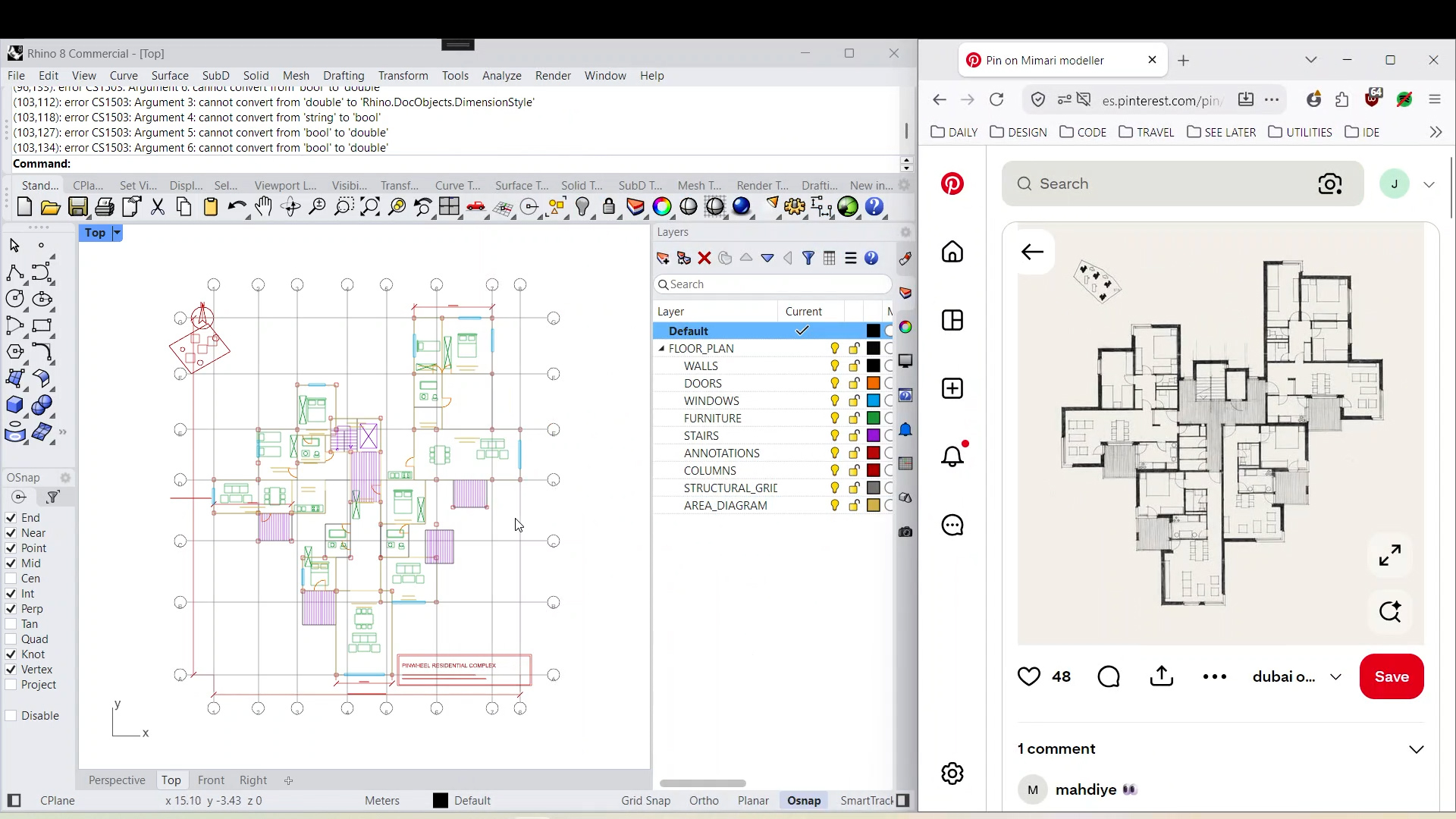
  • Floor plan drawn in the Rhino Top view, organized into walls, doors, windows and furniture layers, beside the reference plan image.
    Floor plan from a reference imageRhino 8
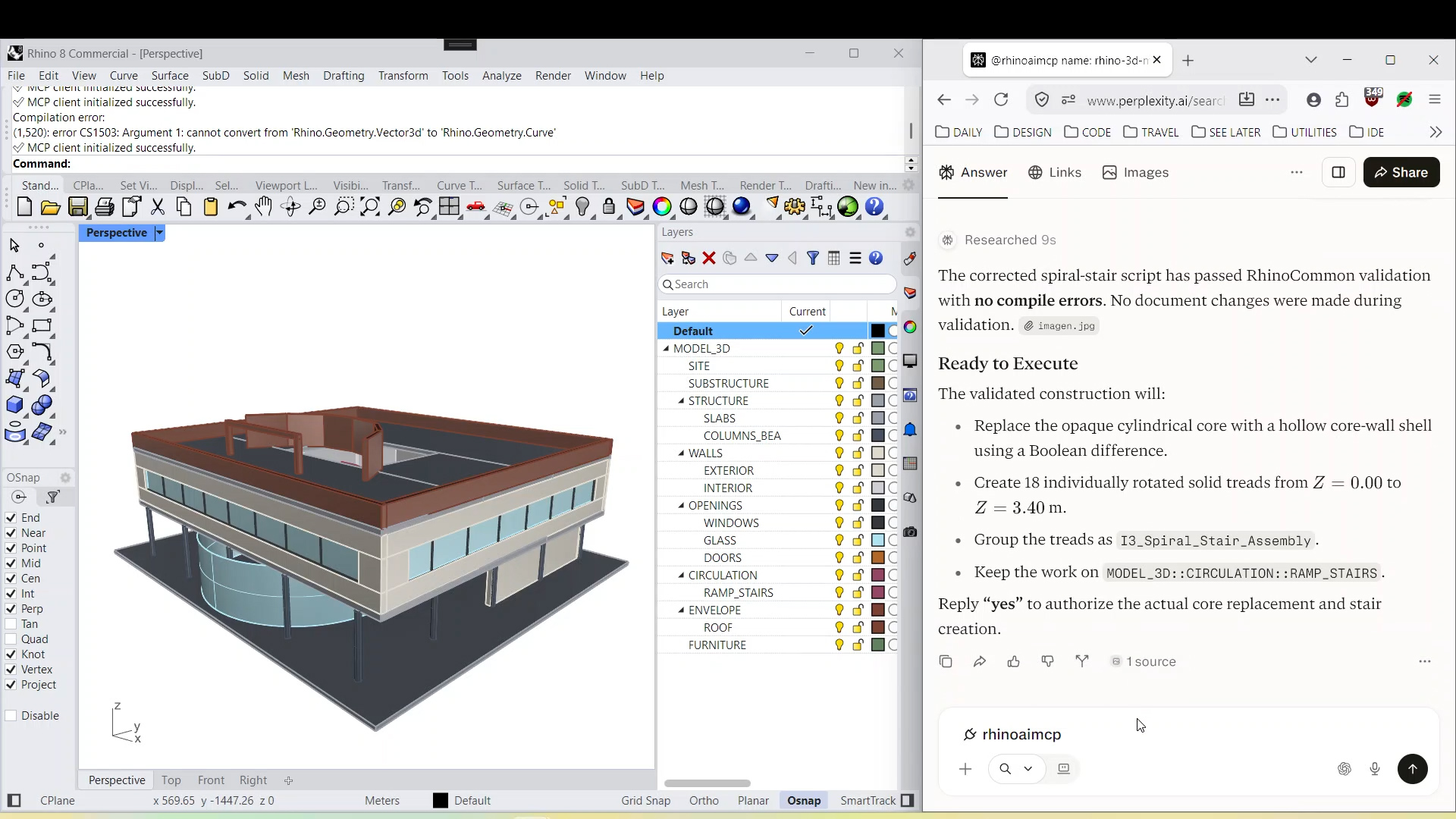
  • Building model in Rhino with a detailed layer structure, next to an assistant reply describing a spiral stair change.
    Layered building modelRhino 8 · Perplexity
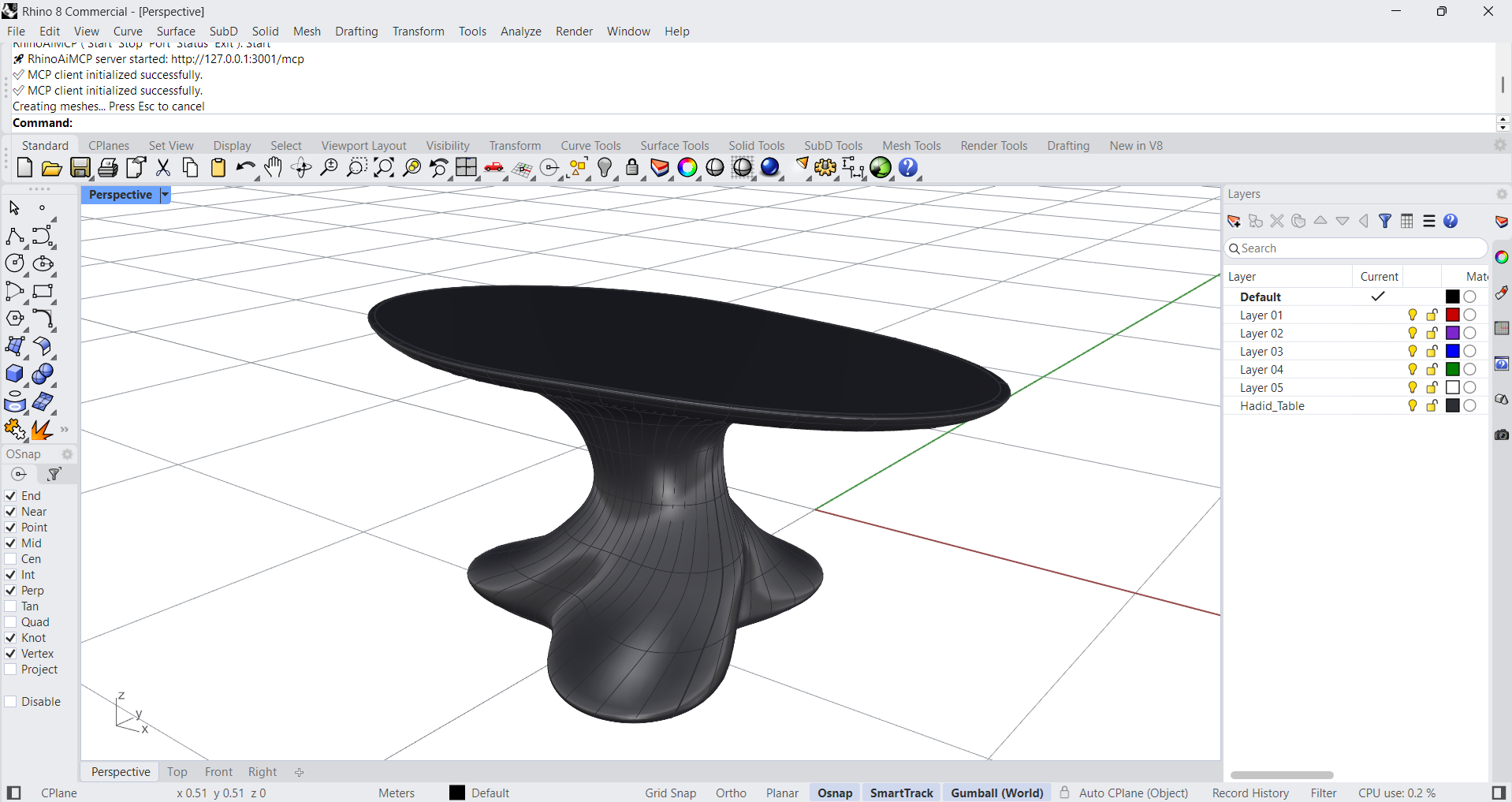
  • Organic sculptural table modeled as a smooth dark surface in a Rhino 8 perspective view.
    Sculptural tableRhino 8

Who it’s for

Built for your workflow.

Designed for people who already model in Rhino. The same assistant works in the file you have open; what it does depends on what you ask.

  • Architects and computational designers

    Massing studies, facades and floor plans from a description, organised into layers you can keep working with. Grasshopper definitions arrive wired, with native components or GhPython, ready to adjust.

  • Product and industrial designers

    Block out a form from a description, refine its proportions with follow-up instructions, and ask about the objects and dimensions already in the model before you change them.

  • Structural engineers

    Generate and organise geometry for structural studies, such as grids, frames and parametric definitions you control in Grasshopper.

    RhinoAiMCP builds and edits geometry. It does not perform structural analysis, code checks or certification.

  • Jewelry designers

    Model rings, pendants and settings from a description, then refine proportions and details with follow-up instructions. Build parametric variations in Grasshopper that you can tune by size or style.

    RhinoAiMCP builds and edits geometry. Check wall thickness, stone fit and printability with your usual tools before production.

  • Landscape designers

    Lay out terrain, paths, terraces and planting grids from a description, organised into layers you can keep working with. Drive repeating site elements with Grasshopper definitions you control.

Why I built it

I wanted more time to design.So I built a better workflow.

I’ve spent over a decade in architecture and computational design, including working in Japan at Kengo Kuma & Associates.

I love what these tools make possible. But I also know how much time goes into work that isn’t really design: rebuilding, reorganising, repeating.

When AI assistants became able to use tools, I wanted mine to work where I actually design: inside Rhino and Grasshopper, with the model already open. So I built RhinoAiMCP.

I hope it gives you more time for the part that matters most: your ideas.

The creator of RhinoAiMCP on LinkedIn (opens in a new tab)

Why RhinoAiMCP

  1. Built by an architect.

    Made by someone with more than ten years in parametric and computational architecture, for the way architects work.

  2. Pay once.

    A one-time payment for a perpetual v2 license. No subscription for the plugin; AI services are billed by their providers.

Get RhinoAiMCP

Make room for more design.

Bring AI assistance into your Rhino and Grasshopper workflow.

RhinoAiMCP logo

RhinoAiMCP v2

Early adopter price

US$19Checking your regional price

Until 30 November 2026 · then US$49

One-time payment

No subscription for the plugin.

  • 14 MCP tools for working in Rhino
  • 12 built-in design skills
  • Create and update your own skills as editable Markdown, with automatic backups
  • Python scripting support
  • Grasshopper definitions with native components or GhPython
Compatibility & requirements
  • Works with Rhino 7, Rhino 8 and Rhino 9 on Windows and Mac.
  • Requires an MCP-compatible AI assistant, such as Claude, GitHub Copilot or Ollama. AI services are provided and billed separately by their providers.

A few things to know.

What do I need to get started?

Rhino, the RhinoAiMCP plugin and an MCP-compatible AI assistant, such as Claude Desktop. The Setup page walks you through each step.Open the setup guide

Do I need to know how to code?

No. You describe what you want in plain language and your assistant works in Rhino and Grasshopper for you. Knowing Grasshopper helps you review and adjust the definitions it builds, but you never have to write code.

Which AI assistants can I connect?

Any assistant that supports the Model Context Protocol (MCP), such as Claude, GitHub Copilot or Ollama. RhinoAiMCP is the MCP server that exposes Rhino to the assistant; the configuration steps depend on each assistant.

Can I start and stop the connection?

Yes. RhinoAiMCP includes server controls to start and stop the local MCP server, change its port, check its status and see the available skills.

Which Rhino versions and operating systems are supported?

Works with Rhino 7, Rhino 8 and Rhino 9 on Windows and Mac.

Is the AI model included?

No. RhinoAiMCP connects your assistant to Rhino; access to the AI model itself, such as a Claude plan, is provided and billed separately by its provider.

How do licensing and updates work?

A one-time payment gives you a perpetual license for RhinoAiMCP v2.x, including all v2 updates and fixes. There is no subscription for the plugin.

Does my model leave my computer?

RhinoAiMCP runs on your computer and serves Rhino locally (127.0.0.1). Whatever your assistant reads from the model becomes part of your conversation with your AI provider and is handled under that provider’s terms.

How do I get help?

Write to us and we will get back to you.support@rhinoaimcp.com

From the community

Shared by peoplewho use it.

Unedited words from Food4Rhino, Reddit and LinkedIn.

  • Having used Rhino professionally for 10+ years across several world renowned studios in Japan, this is one of the most exciting workflow plugins I’ve tested recently. Connecting Claude directly to Rhino makes rapid geometry generation, scene inspection, and iterative massing studies dramatically faster. Simple setup once Node.js is configured, and a real game changer for architectural productivity.

    David Minton, Kasumigaseki CapitalFood4Rhino · Nov 2026
  • Wow that's really cool ! I'm usually old school when it comes to AI, especially with LLM (I think Dall-E, ChatGPT and whatever are nonsense) but this type of application feels right. It's not replacing creativity, it's an actual tool to facilitate access to 3D modelling. I'll gladly download it and try it out.

    u/Easy_Turn1988Reddit · r/rhino
  • Incredible work,It's truly exciting to see such innovative intersections between architecture and programming. Looking forward to seeing where this leads!

    Raj Kansara, Kengo Kuma & AssociatesLinkedIn